
Calibration Management Software Without the Second System
Replace separate calibration tools, spreadsheets, and paper logs with one system that connects instrument records, calibration schedules, and compliance workflows already built in.
See how testing labs manage calibration and compliance in LabMODO without running two separate tools.
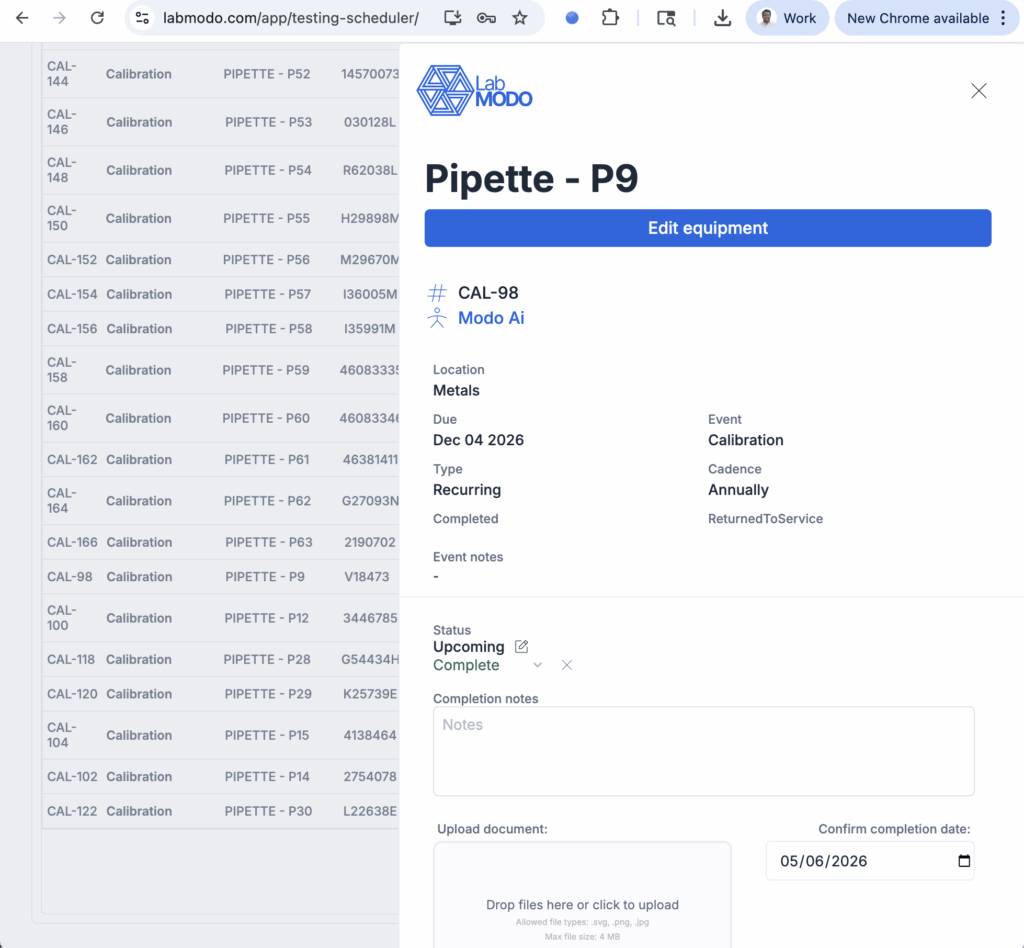
One Lab. Multiple Systems. That's the Problem.
What testing labs manage today:
QA managers at testing labs don't just run compliance. They also manage calibration. That means two separate workflows, two places to store records, and two systems to check before every audit.
- Calibration schedules in Excel or a standalone tool.
- Compliance documents in a QMS or shared drive.
- No connection between the two systems.
When an auditor asks whether the instrument used in a test result was calibrated and whether the analyst was trained on the current SOP — you have to check two places. That's where things get risky.
What that costs:
To answer a simple audit question, someone has to:
- Open the calibration tool or spreadsheet.
- Find the instrument record.
- Check binders for paper logs.
- Cross-reference the compliance system for training status.
- Hope both records are current and valid.
LabMODO connects calibration management and compliance workflows in one system.
Instrument records, calibration schedules, training status, and SOPs all in one place, always current.
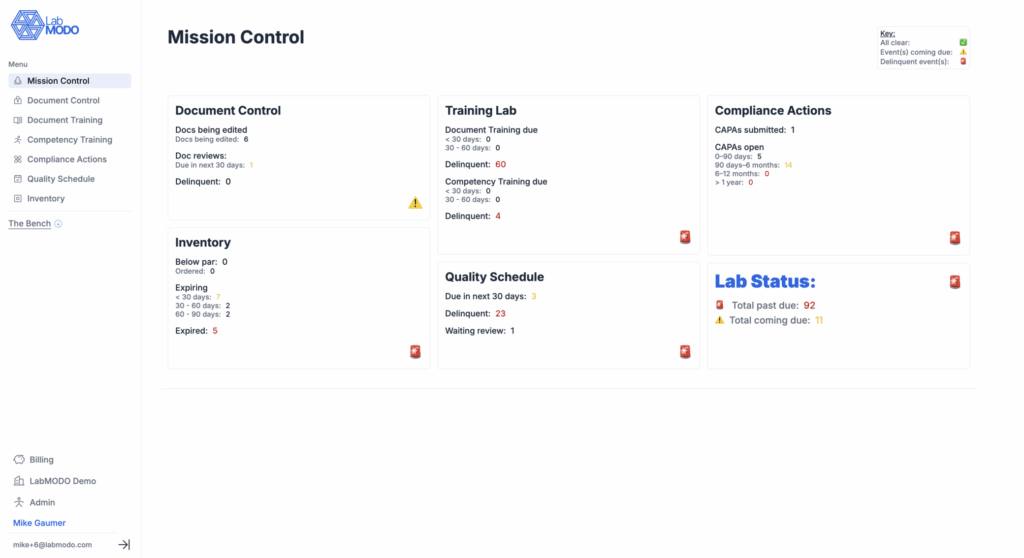
Know Your Compliance Status in 10 Seconds
This morning, one lab manager opened LabMODO and saw:
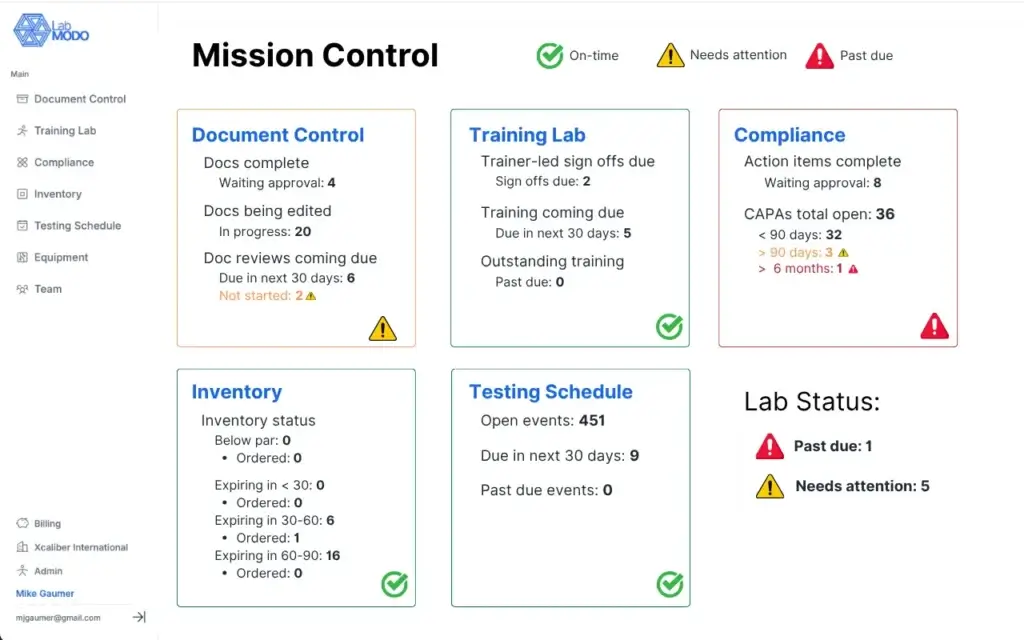
Instead of hunting for answers, your team opens one dashboard.
One System Covers Every ISO 17025 Requirement
1. Document Control
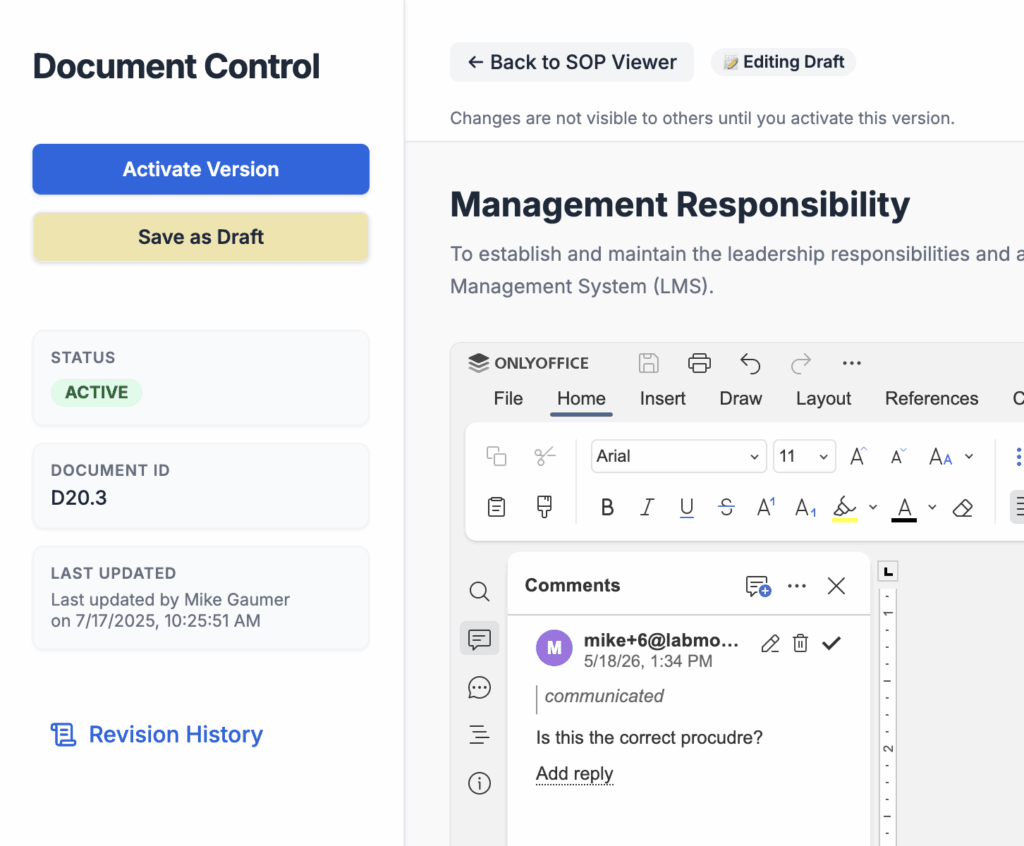
Control SOP versions, approvals, review dates, and access across your entire lab from one secure compliance portal.
- Version history: Auto-archive old files. Always display the latest active SOP.
- Approval workflows: Route SOP revisions for digital QA signatures in seconds.
- Review reminders: Track periodic reviews and receive notifications when files are due for evaluation.
- Instant audit trail: Maintain an immutable log of every document edit, signature, and approval.
2. Training Records & Competency
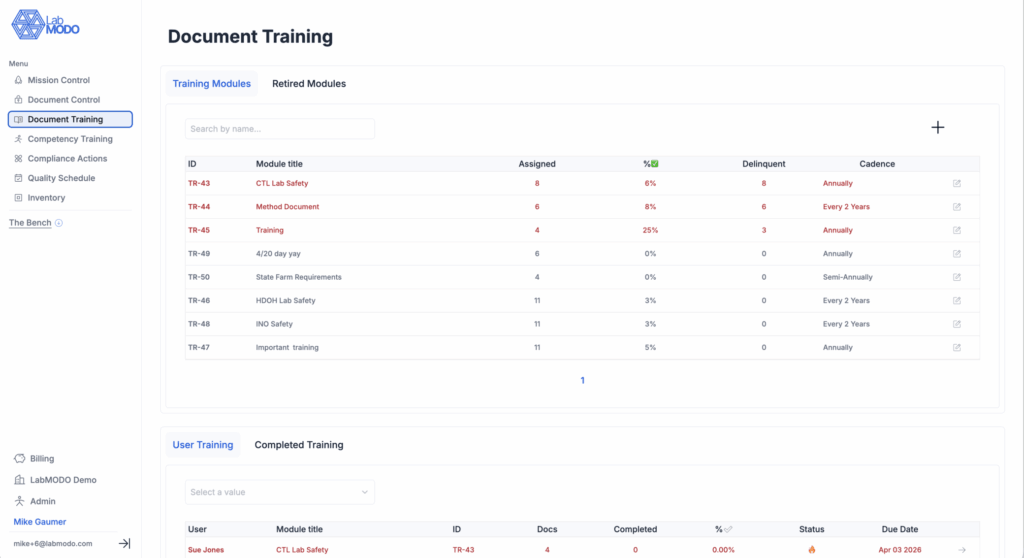
Track who is trained, overdue, and ready to perform methods, ensuring your staff qualifications match audit standards.
- Assign training by role: Auto-assign SOP readings and training tracks based on analyst roles.
- Refresher schedules: Automatically flag recurring training before they expire.
- Completion records: Log training sign-offs, evaluations, and certificates in personnel folders.
- Audit-ready history: Demonstrate compliance history for every analyst’s method qualifications.
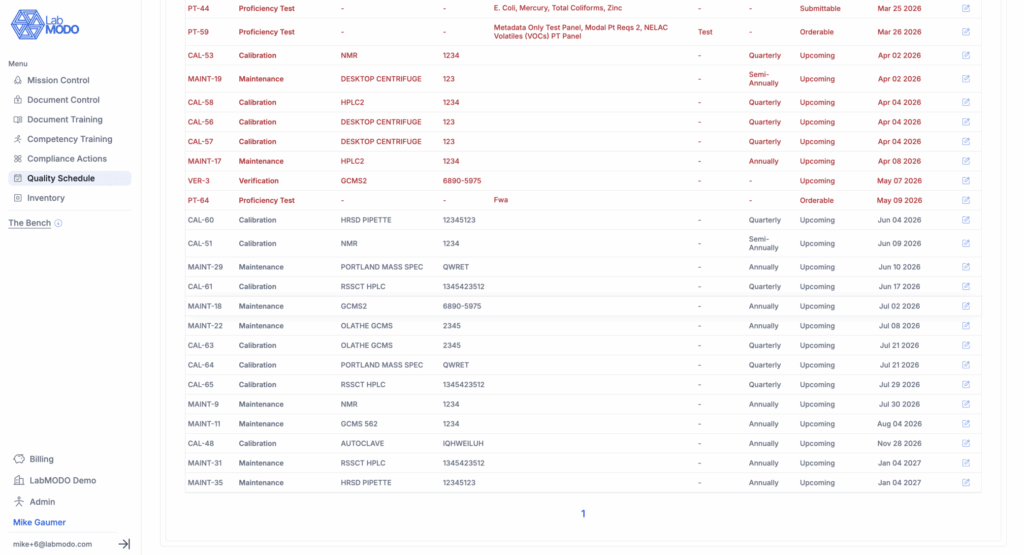
3. Calibration, Maintenance, and PTs
Know what calibration or service task is due before it becomes a finding, keeping instruments compliant and accurate.
- Due dates: View clear indicators of upcoming service dates and equipment statuses.
- Recurring schedules: Automate periodic maintenance, internal checks, and external calibration schedules.
- Completion logs: Store calibration records, vendor certs, and technician logs directly in the asset card.
- Full equipment history: Generate a complete service history and audit trail for every asset.

4. CAPA Management
Track quality issues, investigations, and corrective actions from creation through verification and final closure.
- Closure evidence: Attach verification files, root-cause analyses, and photos to CAPA records.
- Due dates & owners: Assign clear tasks to personnel and track resolution times.
- Status notifications: Receive warnings before corrective action milestones fall overdue.
- Audit logs: Build an auditor-ready file that demonstrates closed loops for every quality deviation.
5. Readiness Dashboard
Know where your lab compliance stands before the auditor walks in. Monitor all quality operations in one single center.
- Overdue items: Instantly view calibration tasks, SOP reviews, and training logs that require attention.
- Open findings: Track open CAPAs and unresolved quality risks in real-time.
- Missing records: Identify incomplete files, missing certificates, or un-acknowledged SOP trainings.
- Upcoming deadlines: Keep your team coordinated with calendar schedules for all quality events.
Find Out If Your Lab Is Actually Audit-Ready
Takes ~3 minutes. No prep required.
You'll get a personalized score and gap report. No call required to see your results.
What Labs Replace When They Switch to LabMODO
The labs that fail audits aren't missing data. They're missing a system.
Built for Labs. Not Enterprise IT Departments.
LabMODO is built for labs that need to be audit-ready without a six-month implementation.
One Platform. Every ISO 17025 Requirement.
People searching for ISO 17025 compliance software often need help with:
- Document control: Version-controlled SOPs with approval workflows and audit trail.
- Calibration management: Scheduled calibrations with completion logs and equipment history.
- Training records: Competency tracking linked to methods, SOPs, and personnel files.
- CAPA management: Issues tracked from opening through closure with verification evidence.
- Audit readiness: Real-time dashboard showing what’s complete, overdue, or at risk.
- Quality management: Everything connected in one system, not six different tools.
LabMODO combines them in one platform.
Why Teams Switch
“We were managing it. But it took too much effort.”
“We were always reacting to what was due or what an auditor needed.”
“LabMODO replaced memory and spreadsheets with one system.”
That is the tipping point. When control depends on heroic effort, it breaks during growth, turnover, or audits.
LabMODO replaces effort with a system.