
Intro: SOPs Are Critical—But They’re Often Broken
SOPs should make labs more efficient. But in reality, they often slow things down.
Why? Most SOP systems don’t do the basics well. They’re hard to access, hard to use, and impossible to track.
If you want SOPs that work, you need to rethink the system. Here’s a breakdown of the 7 core features every lab needs to manage SOPs—and why they matter.
1. Availability: SOPs Need to Be Accessible Anytime
SOPs are useless if your team can’t find them. Hunting through binders, shared drives, or email threads wastes time and leads to mistakes.
The Fix
Use a cloud-based system. Everyone gets instant access to the latest SOPs on any device, anywhere.
2. Usefulness: SOPs Need to Be Actionable
Too many SOPs are legal word dumps. They look good for audits but fail the people who need to use them.
The Fix
Write SOPs for the user, not the lawyer. Add tactical workflows, visuals, and troubleshooting tips to make them practical.
3. Easy Updates with Automatic Version Tracking
Manual updates are a mess. People end up using old versions, and no one knows who’s on the latest.
The Fix
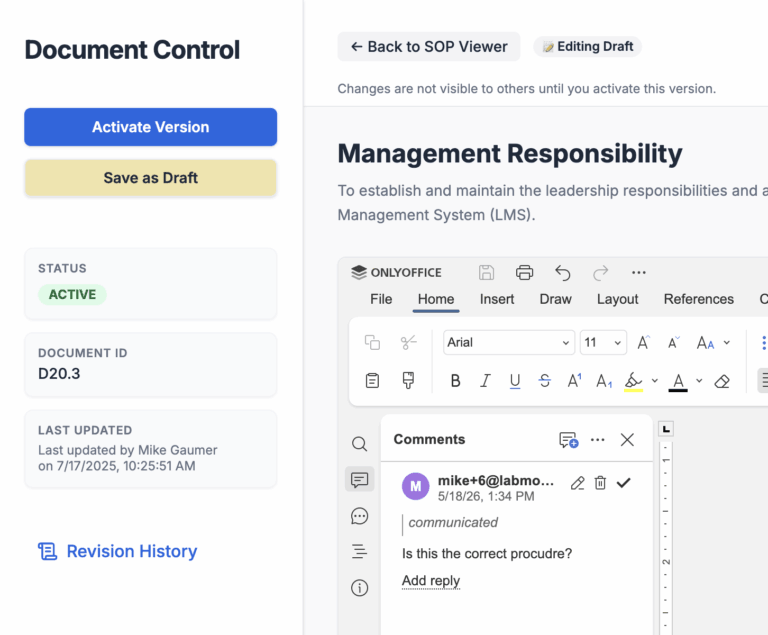
Automate version tracking. When an SOP is updated, everyone sees the change instantly. Old versions are archived, and the latest one is always front and center.
4. Automatic Distribution for Review Accountability
Manually sharing updated SOPs doesn’t work. People miss emails, ignore memos, or never see the new version.
The Fix
Distribute SOPs automatically. Notify team members when they need to review something new. Track who’s reviewed it and who hasn’t.
5. Group SOPs into Training Modules
Organizing SOPs individually creates chaos, especially for onboarding. Labs waste time assigning training one SOP at a time.
The Fix
Group SOPs into training modules. For example, a “Lab Safety Training” module might include five related SOPs. Assign modules to new hires automatically, so no one falls through the cracks. This saves time and optimizes onboarding during employee turnover.
EXAMPLE: General Lab Safety SOPs
Chemical Handling and Storage Procedures Personal Protective Equipment (PPE) Requirements Emergency Procedures and Evacuation Plans Waste Disposal and Management Equipment Safety and Maintenance Guidelines Biological Safety and Containment Practices Fume Hood and Ventilation Use Spill Response Procedures Ergonomics and Injury Prevention in the Lab Sharps Safety and Biohazard Disposal
6. Automate SOP Review Periods
Regulations change. SOPs need regular reviews to stay relevant. But manual review cycles are often forgotten or delayed.
The Fix
Automate review schedules. Set reminders for periodic reviews, so nothing slips through. Make updates fast and efficient.
7. Automatic Employee Training Refresh
Compliance isn’t a one-and-done. Labs need to ensure employees stay current on SOPs, especially for recurring tasks or regulations.
The Fix
Set automated training refresh schedules. Employees are reminded when it’s time to review critical SOPs, keeping everyone up to date and ready for audits.
Fix Your SOPs, Fix Your Lab
If your SOPs aren’t hitting these 7 core features, they’re holding your lab back. Making SOPs accessible, actionable, and automated isn’t a luxury—it’s how modern labs stay efficient and compliant.
Want to level up your SOP management? Start with these basics. Your team—and your bottom line—will thank you.